

Keychron V1 Max 75% RGB Custom Mechanical Keyboard, 2.4Ghz/Bluetooth 5.1/Wired QMK/VIA Programmable Macro, Hot-Swappable Gateron Jupiter Red Switch Gasket Mount for Mac Windows Linux
Original price was: $209.99.$99.99Current price is: $99.99.


Price: $209.99 - $99.99
(as of Oct 26, 2025 04:51:27 UTC – Details)

Product description
Keychron V1 Max 
The V1 Max is a compact 75% Layout QMK mechanical keyboard upgraded with a 2.4 GHz wireless connection, featuring a 1000 Hz polling rate. Its gasket mount design, sound absorbing foam, and more take your typing experience to a new level, delivering heightened levels of comfort and productivity.
1 75% Layout
2 Wireless and Wired
3 Hot-swappable
4 Remap with QMK & Launcher
Support macOS, Windows and Linux
Switch Layouts Between macOS & Windows
Built with the Mac users’ experience in mind while still retaining compatibility for Windows devices, the Keychron V1 Max comes with a system toggle and an additional set of customized keycaps for both Windows and macOS systems. You can now save two different layouts on the keyboard, one for each system.

Bluetooth Connection Steps
Slide the toggle switch to the Bluetooth position.Hold Fn + 1 until the Bluetooth indicator flashes repeatedly.Enable Bluetooth on your device, search for the keyboard, and connect.
Bluetooth connection video: see troubleshooting guide for details.
Bluetooth Not Connecting? Try These Steps:
Factory reset the keyboard: Hold Fn + Z + J for 4 seconds.Power cycle all devices, including your computer and keyboard.Disable auto-sleep mode: Hold Fn + S + O for 4 seconds.Test the keyboard with other devices (phone, tablet, iPad, etc.). If it connects, the keyboard itself is working fine. For Windows
Uncheck “Allow the computer to turn off the keyboard to save power” in power management under the device manager.Update the Bluetooth firmware If it’s still possible for your keyboard to connect to your device: see troubleshooting guide for details.Reset the Bluetooth drivers on your PC. For macOS
Check Mac’s Wi-Fi and Bluetooth interference: see troubleshooting guide for details.Try these troubleshooting tips: see troubleshooting guide for details.Update the Bluetooth firmware If it’s still possible for your keyboard to connect to your device: see troubleshooting guide for details. (This step has to be performed on a Windows device.) Can’t Type After Waking Up Mac?
This issue is caused by Apple’s FileVault, which prevents third-party Bluetooth keyboards from unlocking the login screen.
Solutions:
Turn off FileVault to enable normal login.Use a wired connection to enter your password. Keychron keyboards support FileVault login in wired mode only. If you experience input lag:
Try to factory reset your keyboard by holding fn+ Z + J for 4 seconds.For wired mode, please replug the data cable or change another data cable/port on your device.For Bluetooth mode, check for interference from nearby Bluetooth devices, and try testing the connection with your smartphone.If you are a desktop user, ensure your motherboard’s Bluetooth antenna is installed. If your PC requires a Bluetooth adapter, please install one.

Specs
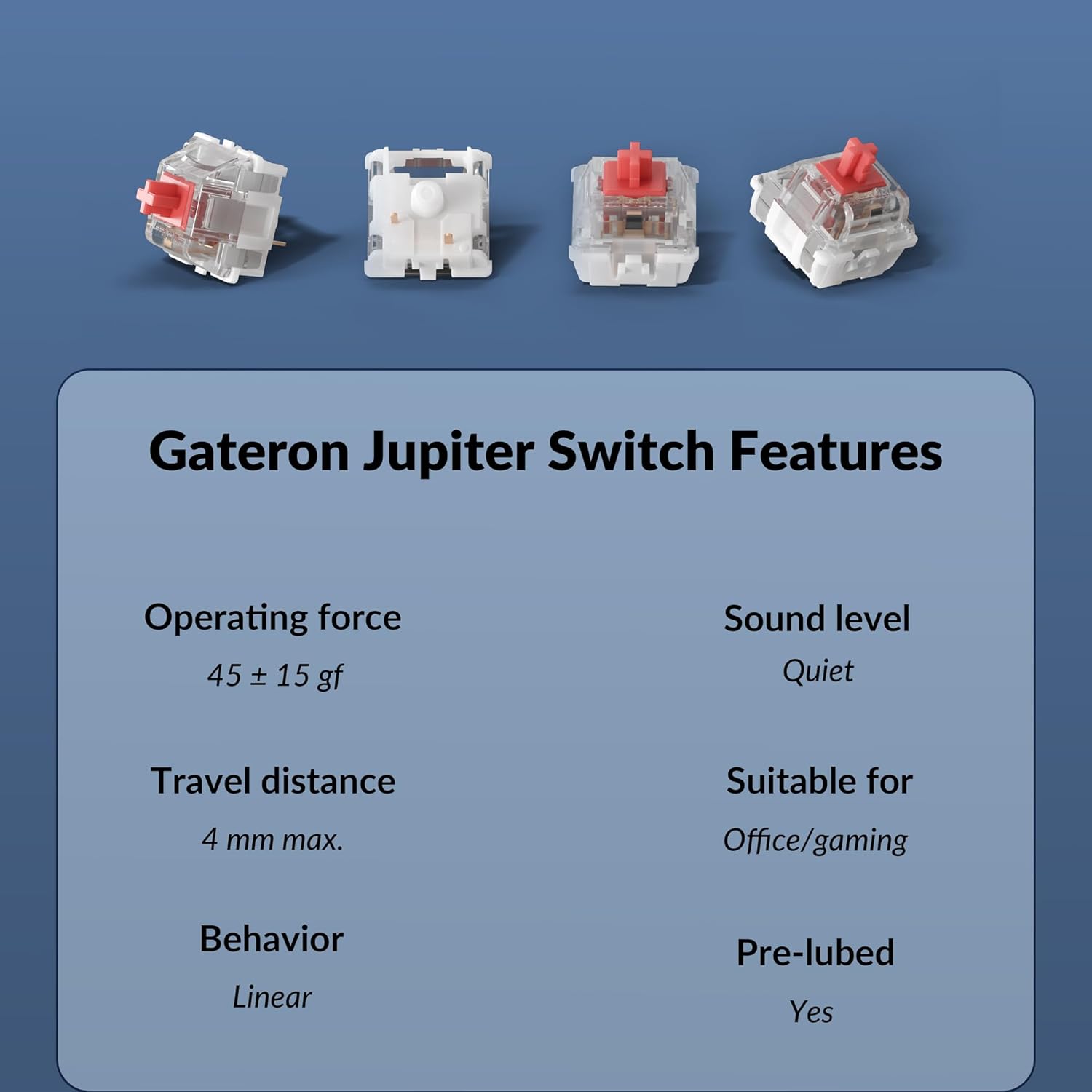
Dimension 328.5 x 148.7 mm / 12.93 x 5.85 Inch Weight 770 g ± 10 g / 1.7 lbs Angle 3.5° / 7.1° / 9.5° Body Material ABS Plastic Plate Material PC Polling Rate 1000 Hz (2.4 GHz and wired) / 90 Hz (Bluetooth mode) Battery 4000 mAh Rechargeable li-polymer battery Compatible System Windows/macOS/Linux N-Key Rollover (NKRO) Yes for both wireless and wired modes Hot-swappable Yes. Compatible with most of the 3 pin & 5 pin MX mechanical switches such as Gateron, Cherry MX, Kailh, etc. Keycaps Double-shot PBT keycaps, not shine-through, OSA Profile (OEM height, SA shape) Switches Gateron Jupiter Backlight South-facing RGB LED Stabilizer Screw-in PCB stabs BT Working Time Up to 100 hours (Lowest brightness) MCU ARM Cortex-M4 32-bit STM32F402 (256KB Flash)
Keychron V1 Max is a fully customizable mechanical keyboard, offering both 2.4 GHz wireless and Bluetooth 5.1 connectivity. Its compact 75% layout, gasket mount, sound-absorbing foam, hot-swappable feature, and more are delivering heightened levels of typing comfort and productivity.
Remap Any Key on Web Browser – Simply connect the V1 Max to your device with a cable, open the Keychron Launcher web app, drag and drop your favorite keys or macro commands to remap any key on any system (macOS, Windows, or Linux) for a fluid workflow. Or create your keymap with open-sourced QMK firmware.
2.4 GHz and Bluetooth Connection – The 2.4 GHz wireless and wired connection boasts a rapid 1000 Hz polling rate. You can also connect the V1 Max with up to 3 devices via a stable Bluetooth 5.1 for seamless multitasking.
Non-shine Through PBT Keycaps – Our unique OSA profile double-shot non-backlight shine through PBT keycaps will provide excellent oil resistance, enhance the type feel, and prevent the legends from fading out. While the south-facing RGB backlight is made for premium non-shine through keycaps.
Support macOS, Windows and Linux – Built with the Mac users’ experience in mind while still retaining compatibility for Windows devices, the V1 Max comes with a system toggle and an additional set of customized keycaps for both Windows and macOS systems.
Customers say
Customers find this keyboard excellent in quality, comfortable to type on, and appreciate its nice sound that’s not noisy. The battery life exceeds expectations, and they consider it a good value. The functionality and wireless connectivity receive mixed reviews – while the keyboard generally works well, some report issues with the row not working properly, and while the 2.4GHz wireless connection is good, the Bluetooth connection isn’t great. The typing speed also gets mixed feedback, though many find the typing experience excellent.
User Reviews
Be the first to review “Keychron V1 Max 75% RGB Custom Mechanical Keyboard, 2.4Ghz/Bluetooth 5.1/Wired QMK/VIA Programmable Macro, Hot-Swappable Gateron Jupiter Red Switch Gasket Mount for Mac Windows Linux”
Related Products




Original price was: $209.99.$99.99Current price is: $99.99.


There are no reviews yet.