

SW4 Pro Wireless Earbuds for PC/Computer/Laptop/Mobile – Dongle & Bluetooth – 20ms Low Latency – 4 Mics – Gaming – Work Headset/Headphones for Office
$49.99


Price: $49.99
(as of Jan 31, 2026 15:11:42 UTC – Details)

Product description



3 Connection Types
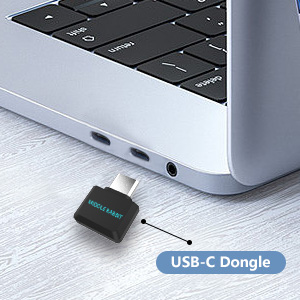
Connection Type 1: USB-C Connection
Perfect for devices such as PCs, laptops, desktops, tablets, mobile phones, and Switch consoles that feature a USB-C port.
* Plug and play — no need to pair via Bluetooth on the same device.
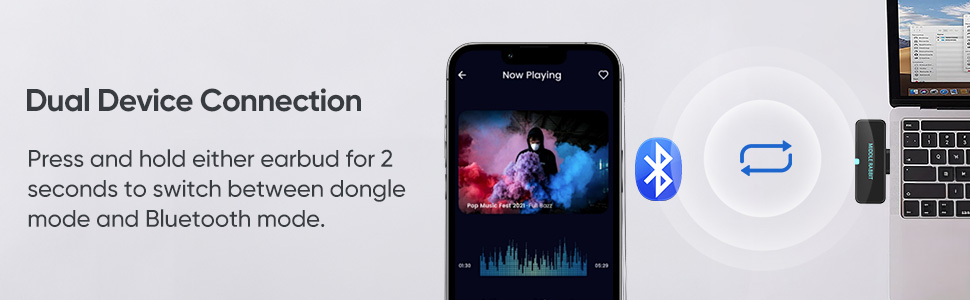
* Long press the touch button on either earbud to switch to Dongle mode.
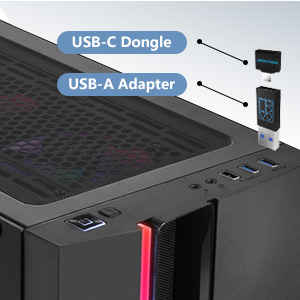
Connection Type 2: USB-A Connection
Designed for PCs, laptops, desktops, PS4, PS5, etc. with a USB-A port.
Please note that the USB-A adapter (USB-C female to USB-A male adapter) should be connected with the USB-C dongle first when using the USB-A connection.
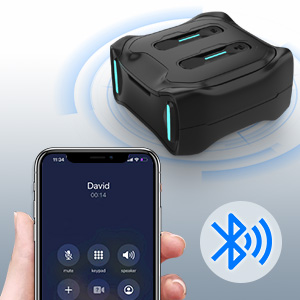
Connection Type 3: Bluetooth
Ideal for devices with Bluetooth functionality, including mobile phones (iPhone, Android, Samsung, etc.), tablets, and laptops.
*Bluetooth can be used to connect to a second device.
* Long press the touch button on either earbud to switch to Bluetooth mode.

Extended Playtime of Up to 30 Hours
Never fret over battery life again. Enjoy 6-8 hours of uninterrupted listening on a single charge, and secure an additional 3 full charges from the accompanying charging case.
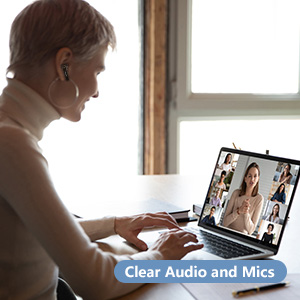
Exceptional Audio and Microphone Quality
Elevate your communication experience. Our earbuds deliver crystal clear audio and provide high-quality microphones, making them ideal for Zoom meetings, web conferences, gaming interactions, video calls, phone calls, and more.

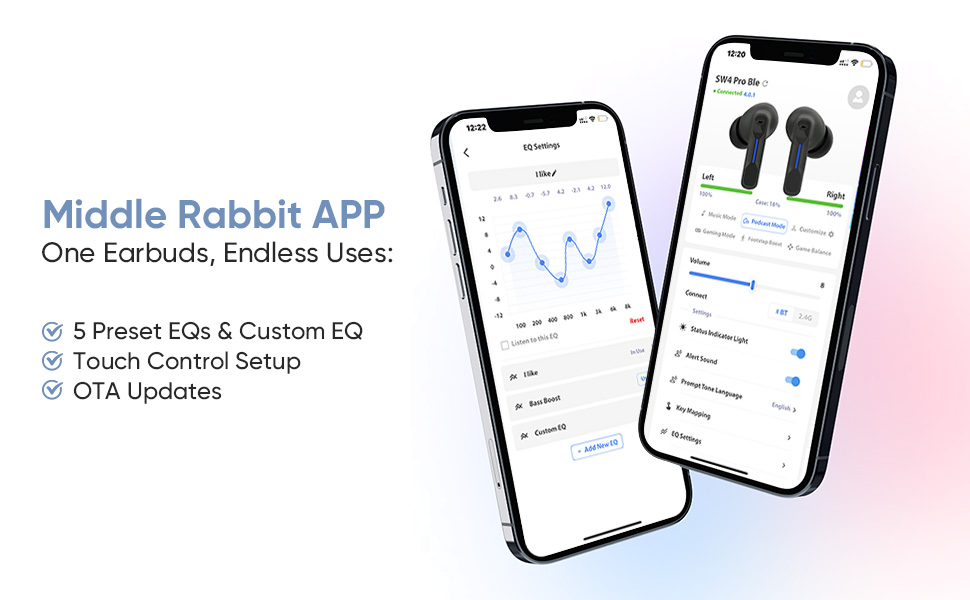
Customizable Touch Controls with App
Manage your audio experience effortlessly with the easy-to-use touch controls. With our dedicated app, personalize your touch commands to control volume, manage calls, mute/unmute, and more. The power is at your fingertips.
APP for More Convenient Use
MUST READ: Manually switch between Dongle Mode(Dongle Device) and Bluetooth Mode(Another Bluetooth Device) by long press one earbud.
Remove the red protective film: Before first use, make sure to remove the red protective film between the earbuds and the charging case. Then place the earbuds back into the case, close the lid, and reopen it to power them on.
Dongle Connection Steps
Connect the Dongle: Insert the USB-C dongle into your device. The dongle light will turn solid once paired successfully.No Sound Output(Dongle Flashing): Long press the touch button on one earbud for 2 seconds to ensure the earbuds are in dongle mode, not Bluetooth mode.No Sound Output(Dongle Steady): Check the sound settings on your device. Ensure that “SW4” is selected as the audio output device as well as the microphone audio input device.
Bluetooth Connection(Connect to a second device): Pair the SW4 in your device’s Bluetooth settings. Remember to long press the touch button on one earbud to switch the earbuds from dongle mode to Bluetooth mode.
FAQs
Q: My earbuds keep disconnecting intermittently?A: Please plug the dongle directly into your device instead of using a docking station or hub. Also, try inserting the dongle into a front port of your device, as using a rear port (e.g., on a PC) may cause interference.Q: The dongle won’t connect to my PC? A: The SW4 earbuds are compatible with PCs. If the dongle does not connect, please check the following:
Make sure the earbuds are in dongle mode. If they are in Bluetooth mode, you will not hear sound from the dongle.Ensure that “SW4 Dongle” is selected as the audio output device in your PC’s sound settings.Restart your device, reset the earbuds, and then reinsert the dongle to try again.
Defective? 1-Year Return & Exchange! Please reach out to us directly. Our products are backed by a 1-year commitment to quality, and we offer solutions for any defective items.
Middle Rabbit app: You can download and install the Middle Rabbit app by searching for “Middle Rabbit” in the Apple App Store or Google Play Store and then installing it on your device.
Plug and Play on PC, Computer, Laptop and Game Consoles: The FEDIKER SW4 Pro supports both “Plug-and-Play” dongle and Bluetooth connectivity, allowing you to connect to non-Bluetooth devices like computer, PC, ps4/5.. and Bluetooth devices like Mac, laptop, tablet, iPhone, Android, etc.
Enjoy Lag-Free Audio and Communication: Featuring 2.4G wireless dongle technology, the FEDIKER SW4 Pro offers ultra-low latency of 20ms, even lower than your device’s built-in speakers.
Concentrate on Working/Gaming: The FEDIKER SW4 Pro features 10mm drivers that deliver clear treble, smooth midrange, and deep bass, capturing every detail vividly. Experience immersive sound with clear, lag-free audio, perfect for gaming or working.
4 Mics for Clear Talk: Each earbud features two mics, ensuring clear vocal communication during calls or gaming.
1-Year Warranty Coverage: Benefit from a full year of coverage. If any issues occur, we’ll work to resolve them through repair or replacement.
User Reviews
Be the first to review “SW4 Pro Wireless Earbuds for PC/Computer/Laptop/Mobile – Dongle & Bluetooth – 20ms Low Latency – 4 Mics – Gaming – Work Headset/Headphones for Office”
Related Products


$49.99


There are no reviews yet.