

RedThunder K65 Wireless Mechanical Gaming Keyboard, Trip-Modes Connection, Gasket Custom Hot-Swap Keyboard, RGB Backlit, Pre-lubed Linear Switches, Side Printed PBT Keycaps, Gradient Gray
$64.99


Price: $64.99
(as of Jan 13, 2026 07:21:22 UTC – Details)

Product description


1 Multi-Function Knob
2 3-Mode Connection
3 65% Layout
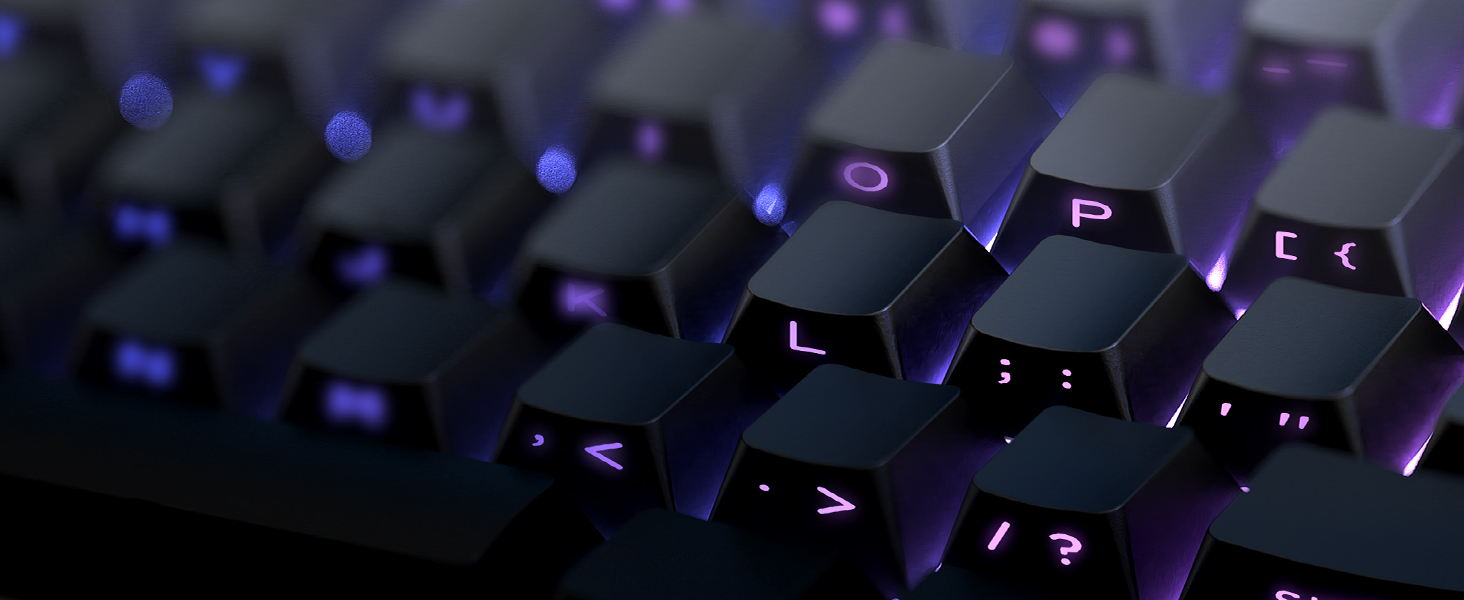
4 PBT Keycaps
K65 Wireless Mechanical Gaming Keyboard
Compact 65% layout saves desk space while retaining essential keys.3-mode connectivity (e.g., wired, Bluetooth, 2.4G) offers flexible device pairing.Gasket mount design reduces noise and delivers a softer, more comfortable typing feel.Mechanical switches ensure crisp, responsive keystrokes for gaming precision.
The video showcases the product in use.The video guides you through product setup.The video compares multiple products.The video shows the product being unpacked. Gasket Gaming Keyboard Merchant Video
Gasket Mechanical Gaming Keyboard
The Gasket structure is typing stable, pressing comfortable, and bring you a relaxing typing experience.Five-Layer Padding Eliminates Most of the Noise and Resonance of the Keyboard.
The video showcases the product in use.The video guides you through product setup.The video compares multiple products.The video shows the product being unpacked. Gasket Mechanical Keyboard Merchant Video
BT/Wired/Wireless Keyboard for WIN/Mac
Dual-System: Toggle with one click to easily switch between MacOS and Windows systems.Tri-mode: stable wired, cable-free 2.4G, mobile-friendly Bluetooth, catering to diverse scenarios.
1. Long press FN + Q/W/E: BT1/BT2/BT3 pairing. Short press FN + Q/W/E: BT1/BT2/BT3 switching.
2. FN + R: 2.4GHz wireless mode repairing(Paired by defaultat thefactory).
The video showcases the product in use.The video guides you through product setup.The video compares multiple products.The video shows the product being unpacked. 3 mode keyboard Merchant Video
Vibrant RGB Backlight
Customize full RGB lighting settings via K65 driver.Customize RGB lighting settings via CNC knob.Customize RGB lighting settings via the following shortcuts
Tips: FN + Backspace = Turn on/off the backlight (including the side backlight); FN + Tab = Custom Side Light.; FN + \| = Toggle Backlit Effect, FN + PU = Toggle Backlit Color in pure color mode, FN + ↑↓←→ = Toggle Light Brightness/Speed, FN + PD: Press once to activate Self-set Game Lighting. Press twice to start Self-set Game Lighting
The video showcases the product in use.The video guides you through product setup.The video compares multiple products.The video shows the product being unpacked. Hot Swappble keyboard Merchant Video
Hot-swappable Mechanical Keyboard
Hot-swappable design works with 3Pin/5Pin switches for easy replacement.Under-light position enhances backlight effect clearly.Compatible with side-printed and various other keycaps.2-in-1 keycap puller for easy custom keyboard setup.
The video showcases the product in use.The video guides you through product setup.The video compares multiple products.The video shows the product being unpacked. RedThunder K65 Hot swappble keyboard Merchant Video


1 Gasket Structure 2 Hot-Swappable 3 Pre-lubed 4 Adjustable RGB 5 K65 Driver

How to download the K65 US Driver?
Copy “bit.ly/4peR61j” to the search bar.
How to use CNC knob?
Long press the CNC knob for 5s to switch between light mode and sound mode.
Short press the CNC knob to select light mode or toggle mute/unmute.
Turn the CNC knob to adjust backlight brightness/volume.
Why the keyboard becomes disconnected in the BT mode/2.4GHz Wireless mode?
When the battery level is low, the keyboard cannot support the BT/2.4GHz function normally. Please re-update the BT/2.4GHz function of the device and fully charge the keyboard.
How to charge or use the K65 Wireless Keyboard?
Charge with original cable via computer USB (DC:5V). Avoid non-original/non-compliant cables or high-voltage sockets. Insufficient voltage/current from a USB-split dock may stop the keyboard from charging/working (due to varying keyboard power).
Can you re-program the keys for Mac users?
No. Only in wired mode on Windows systems can it be used.
【Triple Mode Multi Device】It can not only get rid of the cord shackles for a fast typing experience, but also meet the extreme speed experience of wired mode when charging. With the flip of 2 switches on the top, you can seamlessly switch between different devices in WINDOWS, MacOS, 2.4G wireless, wired and BT modes, giving you the freedom to move between different spaces. (Note: FN+Q/W/E to switch between BT1 /BT2/BT3 device).
【Hot Swappable Switches】The hot-swappable keyboard is a game-changer! Built-in hot-swap PCB lets you replace 3-pin or 5-pin switches without soldering, giving you a wide choice. Built-in pre-lubricated pink shafts make typing smooth and comfort. Comes with spare pre-lubricated shafts and a key puller for you to experiment with different switches freely to find the perfect feel for your typing style or gaming needs(Note: Not recommended for keyboard beginners. Or buy an extra set of front-character keycaps for replacement).
【Satisfying Creamy Sound】Gasket keyboard truly shines with its distinctive construction and superior performance in mechanical keyboards. Compared to Top-Mount Design, the Gasket Design has five-layer shock absorption and a single-key positioning plate. The unique design allows for a more even keystroke feel on the keyboard and enables full-key anti-ghosting. This results in a softer and more comfortable typing experience. It will be ideal for gamers and typists alike.
【Full RGB & 4000mAh Battery】The K65 mechanical keyboard with 1.68 million RGB colors and a rechargeable 4000mAh battery can light up diverse atmospheres. Use FN combinations, CNC knob, or software to set RGB light modes (like rhythm lights), color, speed, and brightness. FN + TAB can adjust side lighting modes. South-facing LEDs meet most keycap lighting requirements, including side-engraved ones. A charging indicator shows power needs & status, ensuring you never miss a charge for long-lasting use (opt for the original charging cable or a qualified data-capable one to charge via a computer’s USB port).
【65% Professional Gaming Keyboard】The 65% compact layout keyboard saves more space over full-size, keeps arrow keys for gaming. Dual-color PBT keycaps are richer in color without fading, and stepped keycaps ensure that long typing times are more comfortable and less fatigued. Two-stage foot support adapts to multiple angles. Suits intense gaming or different work with efficient, user-friendly design.
【Multi-function Control Knob】This 65% wireless gaming keyboard‘s CNC knob can switch gaming mode and office mode by long pressing for about 5 seconds. In gaming mode, you can rotate the knob to adjust the brightness of the lights, and click the knob to switch the lighting effects easily; in office mode, rotate the knob to adjust the volume, and click the knob to play or pause.
【Programmable Software】Programmable mechanical keyboard allows for deep customization of keyboard functions. Downloading the K65-US driver (only settable in 2.4G wireless or wired mode with Windows 10) enables comprehensive programmability, key mapping, macro definition and adjust key sensitivity, sleep time, debounce and backlight effects (including music rhythm backlight) to suit any workflow, gaming or life scenarios.
User Reviews
Be the first to review “RedThunder K65 Wireless Mechanical Gaming Keyboard, Trip-Modes Connection, Gasket Custom Hot-Swap Keyboard, RGB Backlit, Pre-lubed Linear Switches, Side Printed PBT Keycaps, Gradient Gray”
Related Products


$64.99


There are no reviews yet.